
Cash App Simulator
For creator content on iPhone & Android · By LarperWallet
Create Cash App-style video scenes with editable cash, savings and Bitcoin balances. Preview the simulator on iPhone and Android. No real payments are made.
- 76 sample reviews
- 4.9
- Access
- IncludedWith every plan
- Platform
- iOS & AndroidMade for mobile
- Personalization
- Make it yoursBalances, profile & activity
About Cash App Simulator
What it does
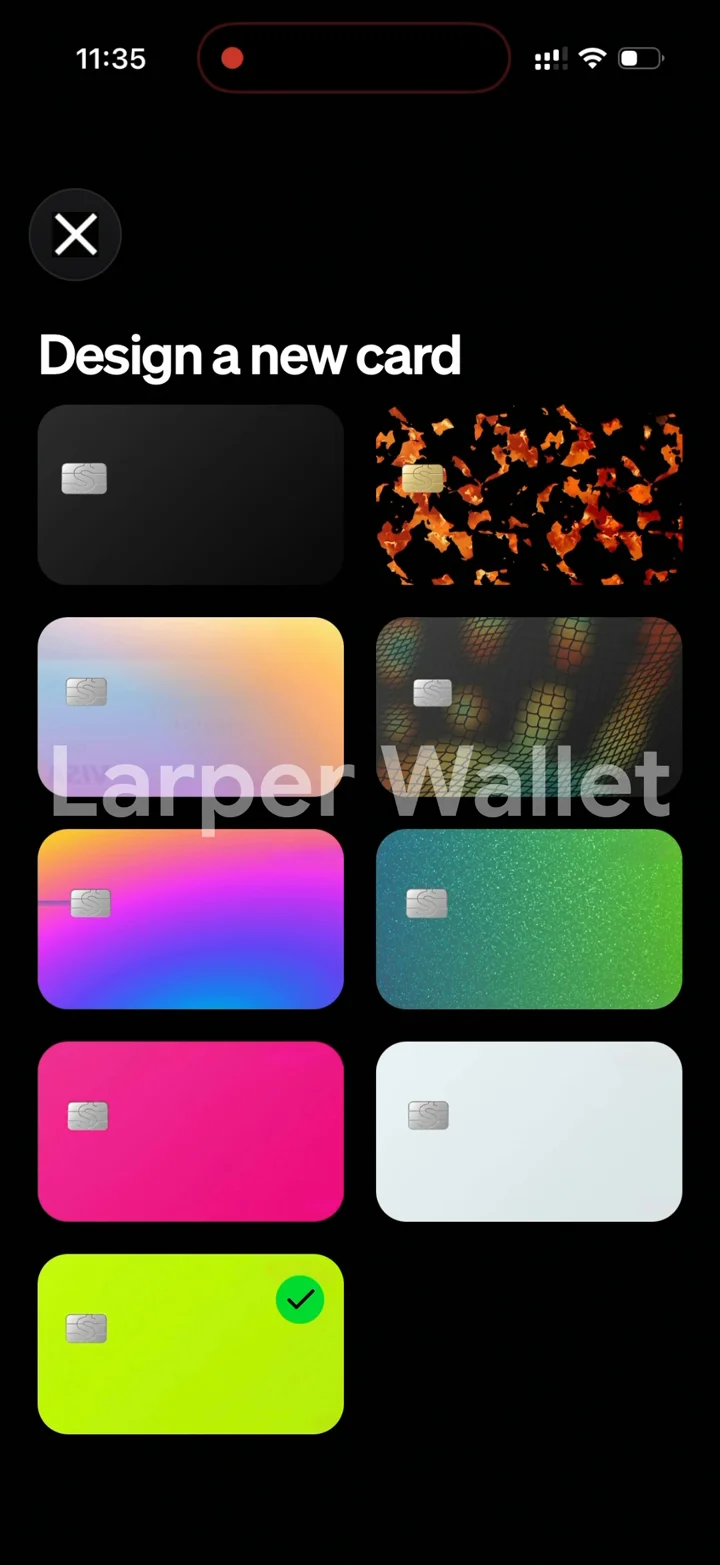
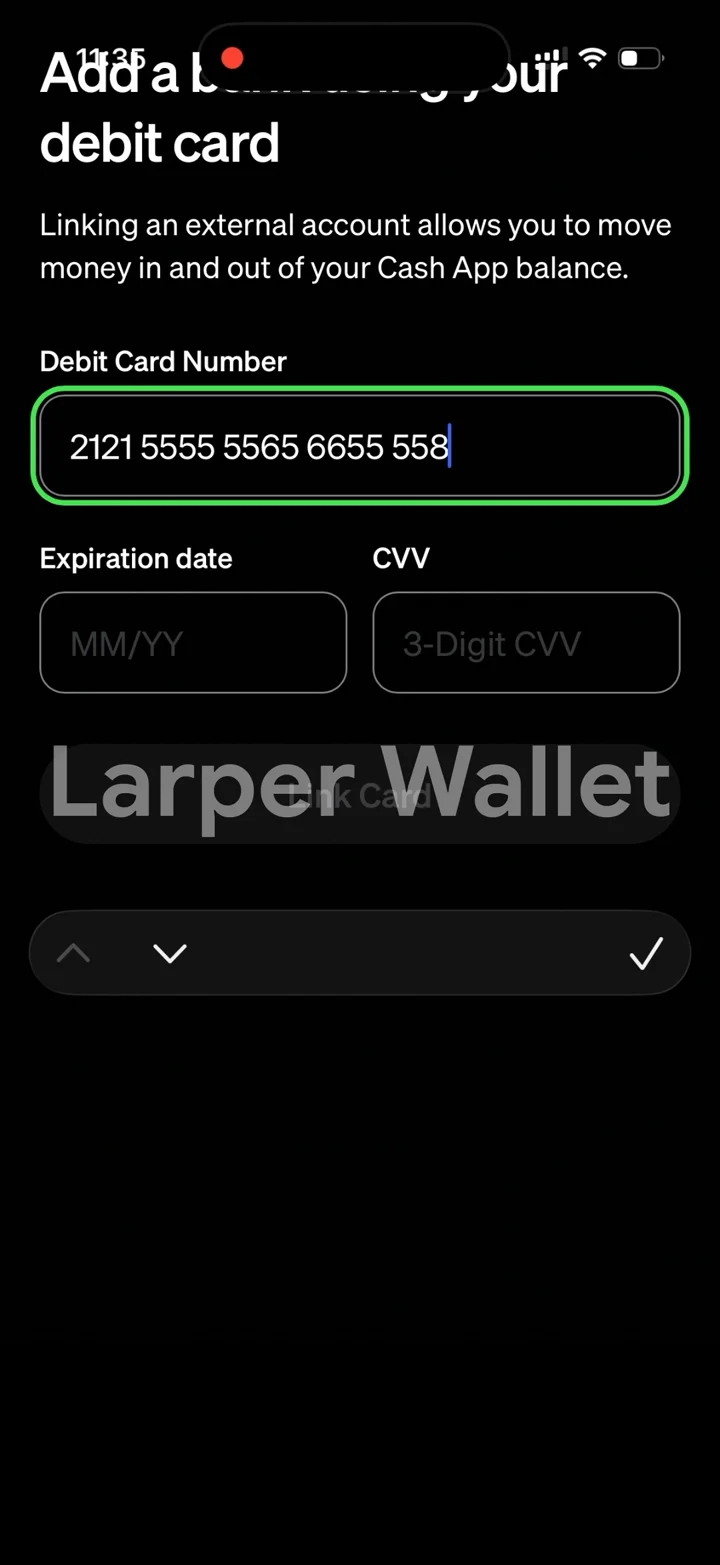
Set any cash balance, savings amount and Bitcoin position, with a matching card, a full activity history, and the exact screens, transitions and animations of the real app.
Customization
Cash balance, savings, Bitcoin, profile details, card presentation and simulated payment activity.
Install
Activate your license and launch Cash App from your dashboard. Add it to your iPhone or Android home screen for a full-screen experience. Android APK downloads are available with eligible licenses.
Best for
Screen recordings, screenshots, skits, product demonstrations and creator content made with simulated balances and activity.
Cash App Simulator is an independent simulation for creator content and entertainment. It cannot hold, send or receive real money and is not affiliated with Cash App. Learn about responsible use.
Ratings & Reviews
Sample ratings and reviews for this design preview.
Easy to get a scene ready
Setting up the balances was straightforward. I could get the screens ready for a recording without having to edit each image afterward.
The small details make it
The transitions and activity screens make the demo feel consistent. Adding it to my home screen also made recording much easier.
Useful for short videos
There are plenty of settings to work with. It took a little exploring to find everything, but once I had it set up the recording came together nicely.
More to explore
Home & cash balance
The full home screen with your cash balance, savings, Bitcoin tile and card header — every number driven by the balance you set.
Savings & Green status
A savings balance with its own interest line, plus the Green status screen, exactly where the real app puts them.
Bitcoin
A Bitcoin position with live-moving price, the full chart, and complete buy and transfer flows that settle back into your balance.
Card
Customise the card and the last four digits, and it updates on the home screen and every screen that shows it.
Pay, request & activity
Pay and request flows plus a full activity feed, with per-transaction detail pages that stay tied to the exact amount involved.
Profile & animations
Contacts, notifications and profile screens, with the real transitions, haptics and animation timing — the details that make a second look hold up.
Build your first Cash App demo
Prepare a fictional cash balance, set the profile details needed for your scene, and record the movement between the cash, savings and Bitcoin views. Review all visible amounts before exporting your clip.
- Activate and open
Choose your access on the pricing page, activate the license in your dashboard, and open Cash App.
- Set the scene
Customize cash balance, savings, Bitcoin, profile details, card presentation and simulated payment activity. Check the overview and detail screens before recording.
- Capture your walkthrough
Launch from your home screen, hide personal notifications, and use your phone’s screen recorder. Label shared content as a simulation.
Cash App simulator questions
What is a fake Cash App simulator used for?
It is an independent Cash App-style visual tool for skits, tutorials and fictional demonstrations. It is not Cash App and cannot send payments, receive deposits or create proof that a real payment happened.
Is it a screenshot generator or an interactive app?
It is an interactive simulator with connected screens, rather than a single edited image. Customize cash, savings, Bitcoin and profile details, navigate the app and use your phone's screenshot or screen-recording controls.
Does it give me real money or connect to Cash App?
No. All balances and payment activity are simulated. It does not connect to a Cash App account, a bank or a payment network, and it cannot be used to pay anyone.
How do I use the Cash App simulator on iPhone or Android?
Choose a plan, activate your license in the LarperWallet dashboard, and launch Cash App. On iPhone, open the app in Safari and use Add to Home Screen. On Android, use the browser installation option or the APK offered by your eligible license. Download only through your dashboard.
Is the Cash App simulator free?
The screenshots and walkthrough on this page are free to view. Using the simulator requires a paid license; plans start at $14 for 1 week access. Every plan includes all six app simulators. Check the pricing page for current durations and device limits.
Your next recording starts here.
Choose a plan, activate your license and open Cash App from your dashboard. Add it to your iPhone or Android home screen. Android APK downloads are available with eligible licenses.