
Phantom Wallet Simulator
For creator content on iPhone & Android · By LarperWallet
Create Phantom-style wallet demos with custom token balances, cash and simulated activity. Preview LarperWallet on iPhone and Android. No real crypto involved.
- 96 sample reviews
- 4.9
- Access
- IncludedWith every plan
- Platform
- iOS & AndroidMade for mobile
- Personalization
- Make it yoursBalances, profile & activity
About Phantom Simulator
What it does
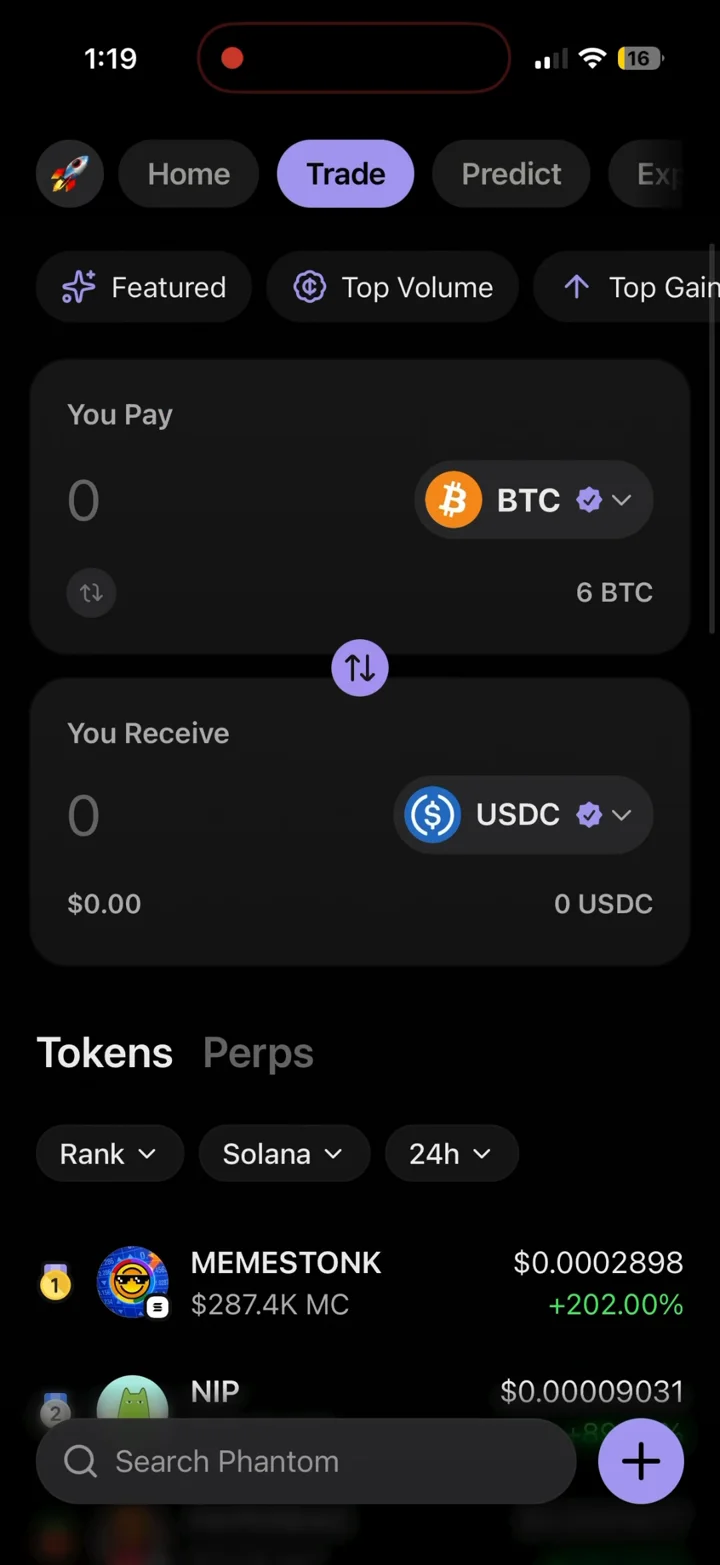
Set any crypto holding and cash balance, with live prices, connected values across every screen, and the exact UI, transitions and animations of the real Phantom app.
Customization
Coin and cash balances, token lists, account names, wallet details and simulated transaction history.
Install
Activate your license and launch Phantom from your dashboard. Add it to your iPhone or Android home screen for a full-screen experience. Android APK downloads are available with eligible licenses.
Best for
Screen recordings, screenshots, skits, product demonstrations and creator content made with simulated balances and activity.
Phantom Simulator is an independent simulation for creator content and entertainment. It cannot hold, send or receive real money and is not affiliated with Phantom. Learn about responsible use.
Ratings & Reviews
Sample ratings and reviews for this design preview.
Easy to get a scene ready
Setting up the balances was straightforward. I could get the screens ready for a recording without having to edit each image afterward.
The small details make it
The transitions and activity screens make the demo feel consistent. Adding it to my home screen also made recording much easier.
Useful for short videos
There are plenty of settings to work with. It took a little exploring to find everything, but once I had it set up the recording came together nicely.
More to explore
Home screen
1:1 Phantom home with your total balance, token list, and cash balance. Change any value and the whole screen updates instantly.
Balances & holdings
Set any amount of any token, plus a separate cash balance. Prices move like the real app, so portfolio totals always add up.
Token details
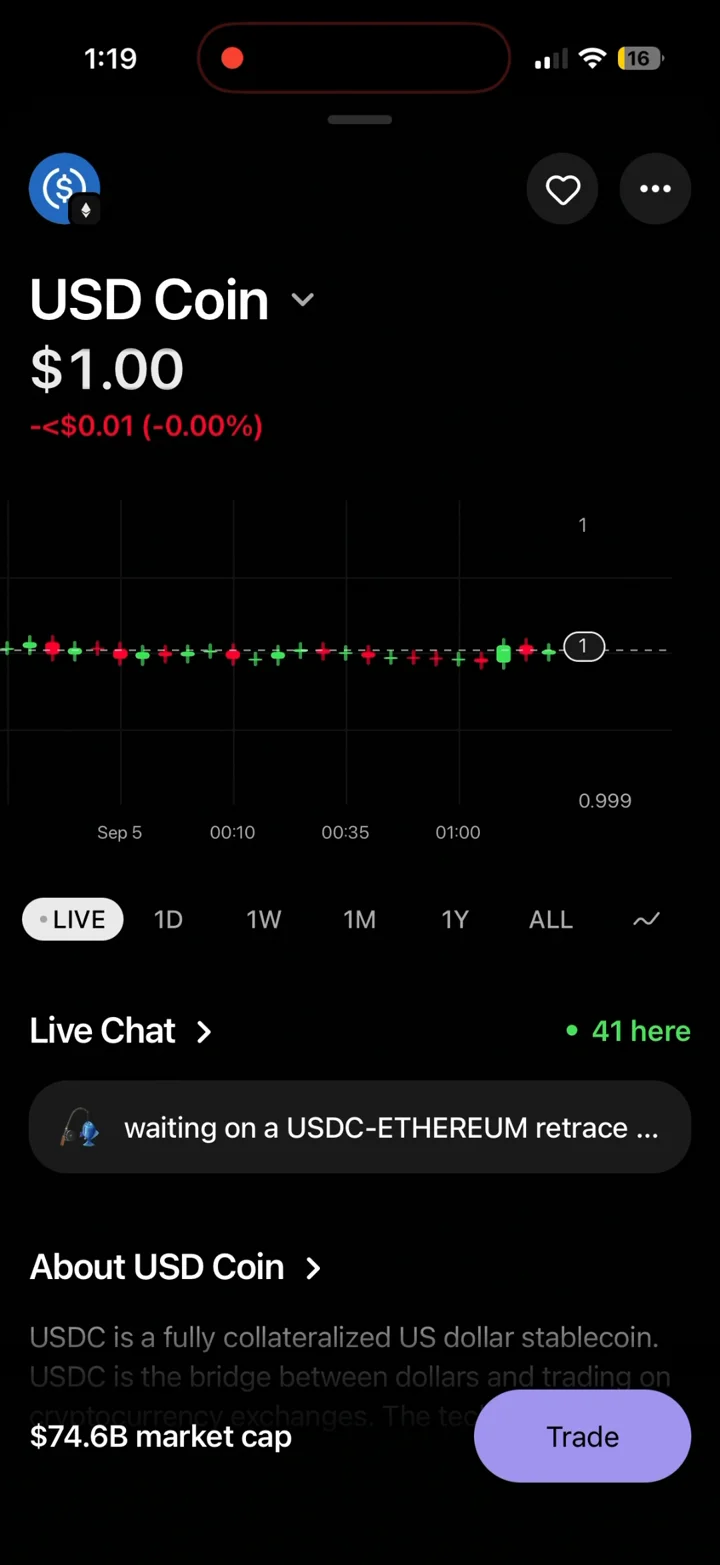
Per-token pages with charts, price movement, and your position value — all tied to the balance you set.
Send & receive
Full send and receive flows with address entry, confirmation screens, and the exact success animations.
Activity history
Transaction history that stays consistent with your balances, down to timestamps and per-transaction detail screens.
Face ID unlock
The real unlock experience on open, so a demo or recording starts exactly the way the actual app does.
Build your first Phantom demo
Prepare a Solana portfolio walkthrough with a chosen token balance, then open its token details and activity before recording. The editable portfolio gives you a repeatable starting point for each take.
- Activate and open
Choose your access on the pricing page, activate the license in your dashboard, and open Phantom.
- Set the scene
Customize coin and cash balances, token lists, account names, wallet details and simulated transaction history. Check the overview and detail screens before recording.
- Capture your walkthrough
Launch from your home screen, hide personal notifications, and use your phone’s screen recorder. Label shared content as a simulation.
Phantom simulator questions
What is a fake Phantom wallet simulator?
It is an independent visual simulation of a Phantom-style wallet for fictional scenes, tutorials and product demos. You set the displayed balances; it is not the official Phantom app and cannot hold or transfer real cryptocurrency.
Can I customize tokens and cash balances?
Yes. Configure the token holdings and separate cash balance, along with account names, wallet details and simulated history. Review the token quantity and live price together: changing the price can change the displayed portfolio value.
Can I record send and receive screens?
Yes. The simulator includes address entry, confirmation screens, result animations and activity details for your recording. These are simulated interactions; they do not create a blockchain transaction.
How do I use the Phantom simulator on iPhone or Android?
Choose a plan, activate your license in the LarperWallet dashboard, and launch Phantom. On iPhone, open the app in Safari and use Add to Home Screen. On Android, use the browser installation option or the APK offered by your eligible license. Download only through your dashboard.
Is the Phantom simulator free?
The screenshots and walkthrough on this page are free to view. Using the simulator requires a paid license; plans start at $14 for 1 week access. Every plan includes all six app simulators. Check the pricing page for current durations and device limits.
Your next recording starts here.
Choose a plan, activate your license and open Phantom from your dashboard. Add it to your iPhone or Android home screen. Android APK downloads are available with eligible licenses.