
Ledger Wallet Simulator
For creator content on iPhone & Android · By LarperWallet
Preview Ledger Live-style portfolio, account and simulated transaction screens. Set demo balances on iPhone and Android. No hardware wallet or real funds needed.
- 39 sample reviews
- 4.6
- Access
- IncludedWith every plan
- Platform
- iOS & AndroidMade for mobile
- Personalization
- Make it yoursBalances, profile & activity
About Ledger Simulator
What it does
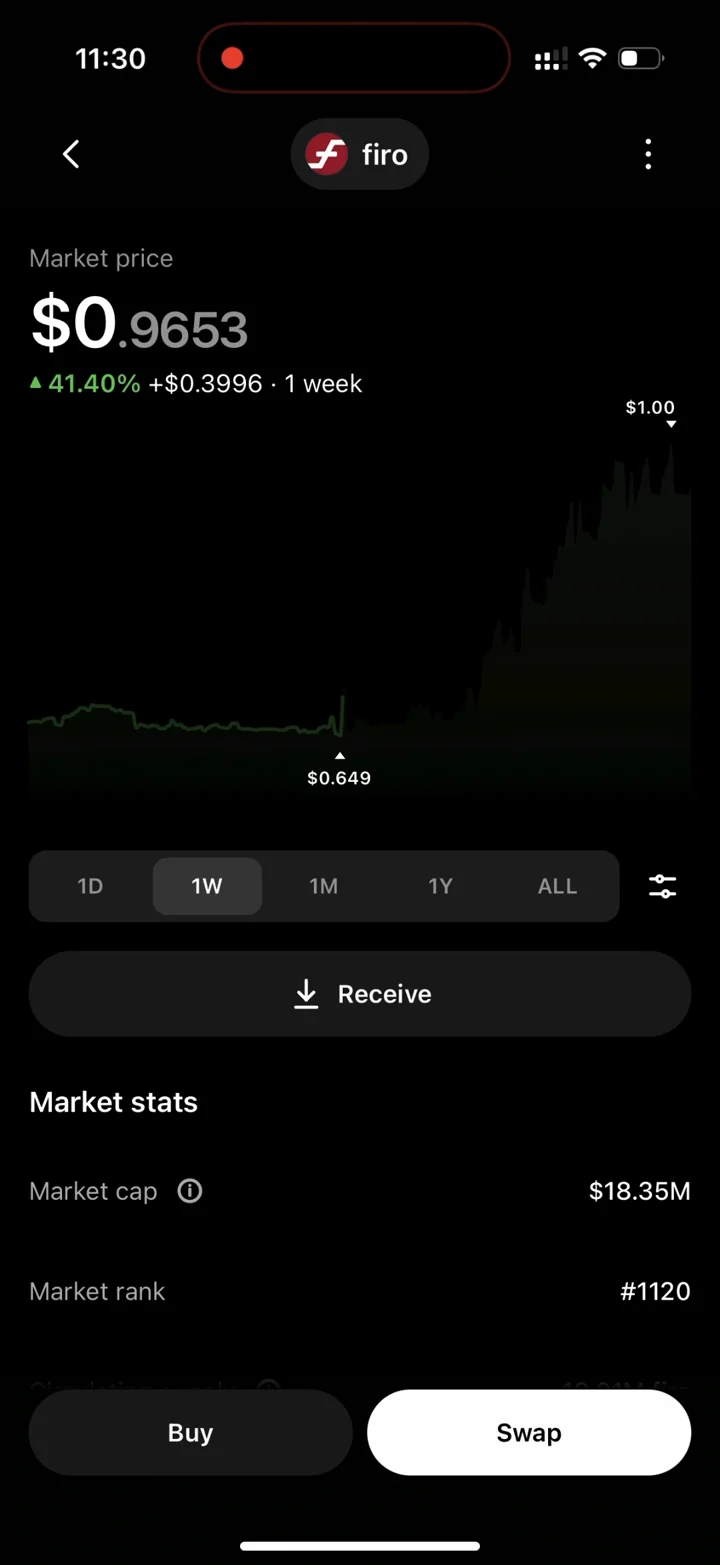
Set any balance on any account, with the real portfolio chart, the full five-step send flow, and Swap, Earn, Card and Market all rebuilt and connected to the same wallet state.
Customization
Account balances across supported chains, portfolio allocation, transaction history and simulated device details.
Install
Activate your license and launch Ledger from your dashboard. Add it to your iPhone or Android home screen for a full-screen experience. Android APK downloads are available with eligible licenses.
Best for
Screen recordings, screenshots, skits, product demonstrations and creator content made with simulated balances and activity.
Ledger Simulator is an independent simulation for creator content and entertainment. It cannot hold, send or receive real money and is not affiliated with Ledger. Learn about responsible use.
Ratings & Reviews
Sample ratings and reviews for this design preview.
Easy to get a scene ready
Setting up the balances was straightforward. I could get the screens ready for a recording without having to edit each image afterward.
The small details make it
The transitions and activity screens make the demo feel consistent. Adding it to my home screen also made recording much easier.
Useful for short videos
There are plenty of settings to work with. It took a little exploring to find everything, but once I had it set up the recording came together nicely.
More to explore
Portfolio & chart
The Ledger Live portfolio with your total balance and the real asset chart curve, redrawing the moment you change any holding.
Accounts & balances
Set any amount on any account across every supported chain. Per-account pages, totals and allocation all follow from the balances you set.
Send & receive
The full step-by-step send flow with recipient, amount, fees, device confirmation and the success screen — exactly the sequence the real app walks through.
Swap
Working swap with quotes, provider selection and confirmation, landing the result in your balances and operation history.
Earn & Card
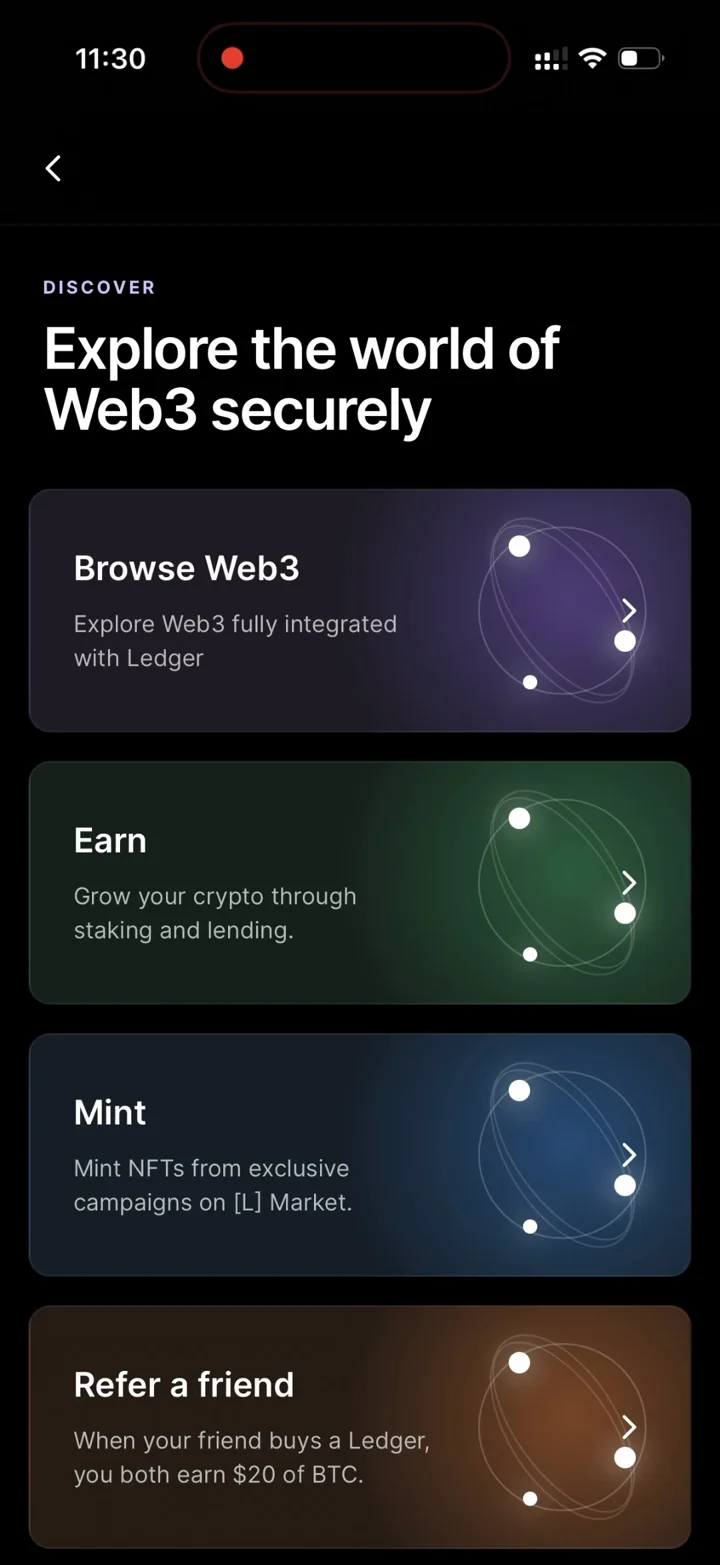
The Earn and Card tabs most clones leave out, both present and driven by the same wallet state as the portfolio.
Market & Discover
Market listings, asset pages and the Discover tab are all rebuilt too, so nothing breaks the illusion when you tap through.
Build your first Ledger demo
Stage a Ledger Live-style account overview, inspect an asset's detail screen, and record a simulated transaction flow. Keep the account label and amount consistent between the portfolio and activity view.
- Activate and open
Choose your access on the pricing page, activate the license in your dashboard, and open Ledger.
- Set the scene
Customize account balances across supported chains, portfolio allocation, transaction history and simulated device details. Check the overview and detail screens before recording.
- Capture your walkthrough
Launch from your home screen, hide personal notifications, and use your phone’s screen recorder. Label shared content as a simulation.
Ledger simulator questions
Do I need a Ledger hardware wallet?
No. This is a visual simulator of Ledger Live-style screens, not an application connected to a Ledger device. It does not pair with hardware, request a recovery phrase or hold real assets.
Is this the Ledger Wallet API simulator?
No. LarperWallet is a visual content tool. It is not Ledger's developer testing software and cannot test hardware signing or blockchain integrations. Use it to stage fictional mobile portfolio scenes.
Can I show custom accounts and transaction history?
Yes. Configure supported asset balances and account details, then use portfolio, asset and simulated activity screens in your recording. No displayed transaction sends cryptocurrency.
How do I use the Ledger simulator on iPhone or Android?
Choose a plan, activate your license in the LarperWallet dashboard, and launch Ledger. On iPhone, open the app in Safari and use Add to Home Screen. On Android, use the browser installation option or the APK offered by your eligible license. Download only through your dashboard.
Is the Ledger simulator free?
The screenshots and walkthrough on this page are free to view. Using the simulator requires a paid license; plans start at $14 for 1 week access. Every plan includes all six app simulators. Check the pricing page for current durations and device limits.
Your next recording starts here.
Choose a plan, activate your license and open Ledger from your dashboard. Add it to your iPhone or Android home screen. Android APK downloads are available with eligible licenses.